Cricut Joy 2 Compact Cutting Machine
<img alt="Circuit Joy 2" class="attachment-full size-full wp-post-image" height="900" src="https://thegadgetflow.com/wp-content/uploads/2026/04/Circuit-Joy-2-01.jpg" style="float: none; margin: 0 0 15px; display: block;" width="1600" /><p>The Cricut Joy 2 is a next-generation compact cutting machine. It helps with quick, <a href="https://thegadgetflow.com/categories/3d-printing/" rel="noopener" target="_blank">everyday projects</a> like custom cards, labels, decals, and full-color stickers, all in a 4.5-inch format.</p> <ul> <li><b>Print Then Cut</b>: The Joy 2 works with your home inkjet printer to produce full-color stickers, decals, and apparel.</li> <li><b>Cuts 75+ Materials</b>: From vinyl and iron-on to cardstock and printable sheets, the Joy 2 handles a wide range of materials. It also writes, draws, scores, and foils.</li> <li><b>Ultra-Compact and Portable</b>: At just over 2 lbs and 4.5 inches wide, it fits in tight spaces and is easy to store or carry.</li> <li><b>Free Design Space App</b>: The machine connects via Bluetooth to Design Space, a free app with 3,000+ images, 100+ fonts, and guided project flows.</li> <li><b>Ready Out of the Box</b>: Bundle options include Smart Vinyl, Smart Iron-On, transfer tape, cardstock, and tools.</li> </ul> <p>The Cricut Joy 2 is a solid pick for beginners and casual crafters!</p> <p>The post <a href="https://thegadgetflow.com/product/cricut-joy-2-cutting-machine/">Cricut Joy 2 Compact Cutting Machine</a> appeared first on <a href="https://thegadgetflow.com">Gadget Flow</a>.</p>
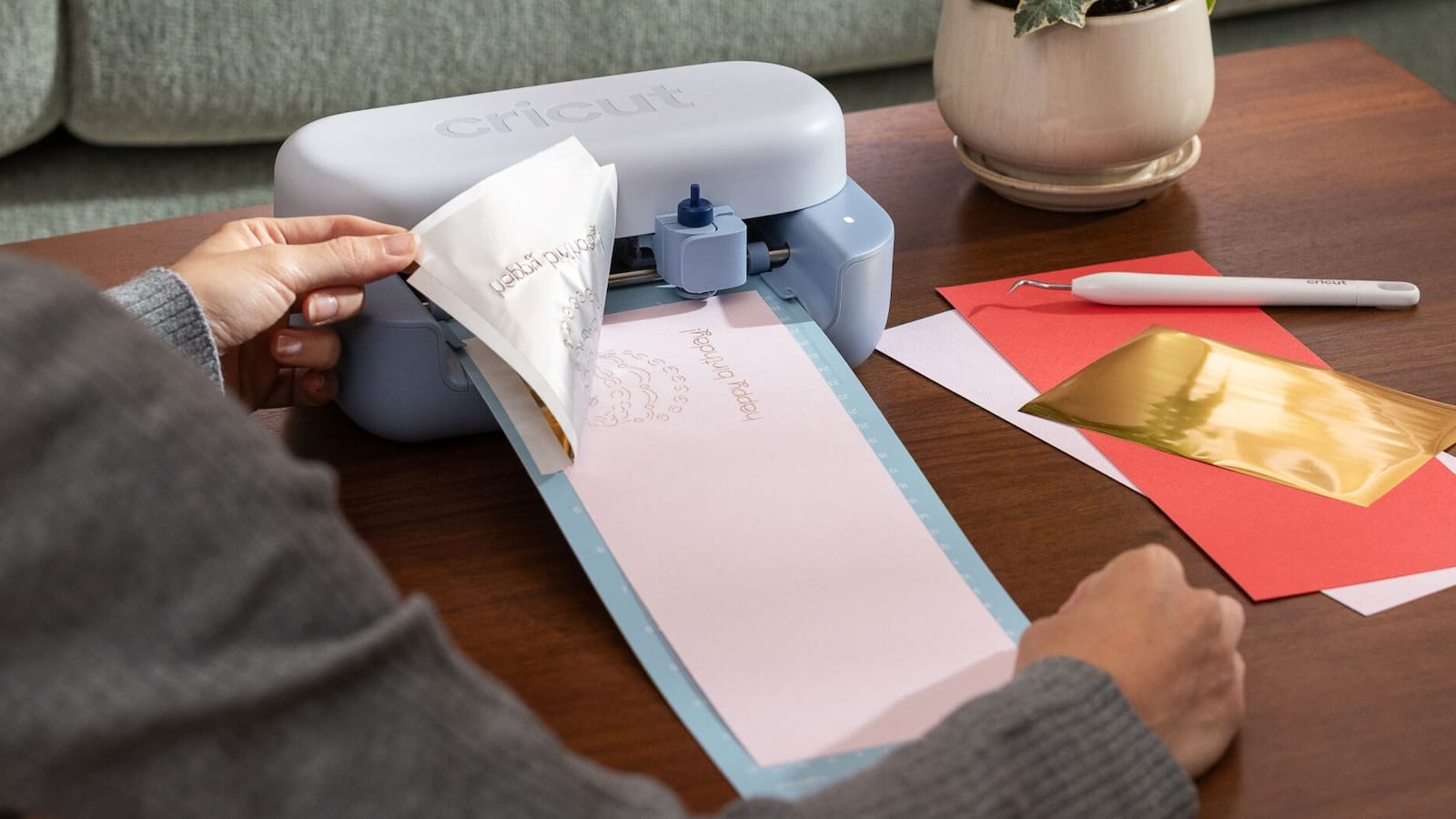
The Cricut Joy 2 is a next-generation compact cutting machine. It helps with quick, everyday projects like custom cards, labels, decals, and full-color stickers, all in a 4.5-inch format.
- Print Then Cut: The Joy 2 works with your home inkjet printer to produce full-color stickers, decals, and apparel.
- Cuts 75+ Materials: From vinyl and iron-on to cardstock and printable sheets, the Joy 2 handles a wide range of materials. It also writes, draws, scores, and foils.
- Ultra-Compact and Portable: At just over 2 lbs and 4.5 inches wide, it fits in tight spaces and is easy to store or carry.
- Free Design Space App: The machine connects via Bluetooth to Design Space, a free app with 3,000+ images, 100+ fonts, and guided project flows.
- Ready Out of the Box: Bundle options include Smart Vinyl, Smart Iron-On, transfer tape, cardstock, and tools.
The Cricut Joy 2 is a solid pick for beginners and casual crafters!
The post Cricut Joy 2 Compact Cutting Machine appeared first on Gadget Flow.
Related hardware picks
View all in this type
Skullcandy Push 540 Open
<p><img alt="Skullcandy Push 540 Open" class="attachment-full size-full wp-post-image" height="900" src="https://thegadgetflow.com/wp-content/uploads/2026/04/Skullcandy-Push-540-Open-02.jpg" style="float: none; margin: 0 0 15px; display: block;" width="1600" />The Skullcandy Push 540 Open brings open-ear audio to active lifestyles, pairing secure over-ear hooks with a detachable neckband for all-day comfort and awareness. Open-Ear Design: The earbuds sit outside your ear canal and let in ambient sound. As a..</p> <p>The post <a href="https://thegadgetflow.com/product/skullcandy-push-540-open-true-wireless-earbuds/">Skullcandy Push 540 Open</a> appeared first on <a href="https://thegadgetflow.com">Gadget Flow</a>.</p>
Forget the outdoors: dbrand’s Touch Grass skins are back
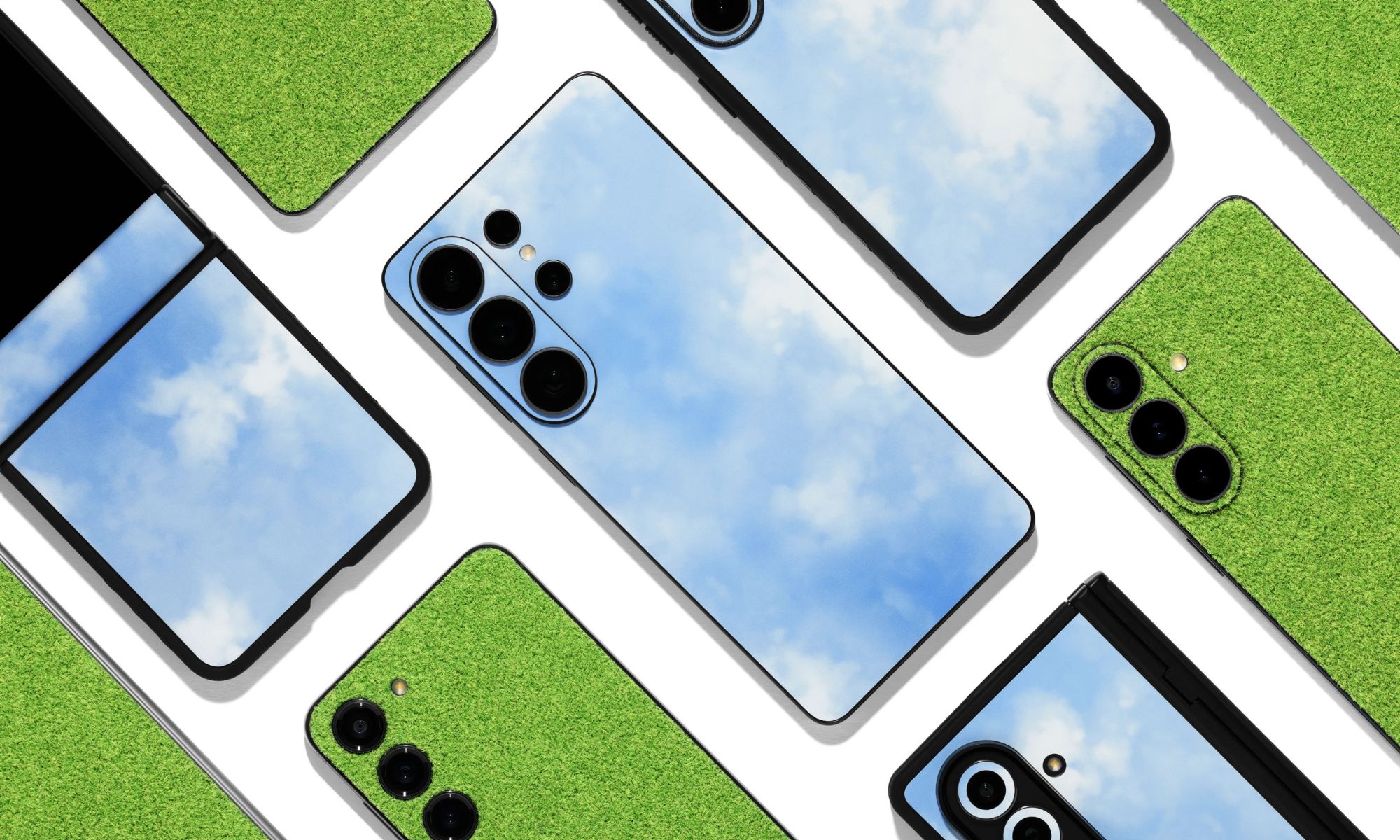
<img alt="Forget the outdoors: dbrand’s Touch Grass skins are back" class="attachment-full size-full wp-post-image" height="1200" src="https://thegadgetflow.com/wp-content/uploads/2026/04/Forget-the-outdoors-dbrands-Touch-Grass-skins-are-back-01.jpg" style="float: none; margin: 0 0 15px; display: block;" width="2000" /> <p>“Thanks to this simulation, you no longer need to go outdoors,” dbrand <a href="https://www.reddit.com/r/dbrand/comments/1sgpf24/pixel_sky_x_grass_cube/?utm_source=GadgetFlow&utm_medium=GadgetFlow&utm_campaign=GadgetFlow" rel="noreferrer noopener" target="_blank">says</a> about their Touch Grass line. I felt confused when I saw these skins last year. The photos tricked my eyes. Part of the skin looked like a flat print, but other spots looked like actual turf or plastic fibers. That weird vibe makes dbrand’s Touch Grass re-release a cool find.</p> <h2 class="wp-block-heading" id="h-the-details">The details</h2> <div class="gadgetblocks-block-wrapper gadgetblocks-product-card-block-wrapper"><div class="gadgetblocks-block" style="padding: 0;"><div class="gadgetblocks-product-card-item"><div class="gadgetblocks-product-card-row"><div class="gadgetblocks-product-card-col"><div class="gadgetblocks-product-card-thumbnail"><img alt="dbrand Touch Grass" class="attachment-thumbnail size-thumbnail" height="250" src="https://thegadgetflow.com/wp-content/uploads/2026/04/dbrand-Touch-Grass-420x250.jpg" width="420" /><figcaption class="wp-element-caption">Image Credit: dbrand</figcaption></div></div><div class="gadgetblocks-product-card-col"><div class="gadgetblocks-product-card-content"><h2>dbrand Touch Grass</h2><div class="gfl-button"><a class="gfl-single-button-link other" href="https://dbrand.com/shop/limited-edition/touch-grass?utm_source=GadgetFlow&utm_medium=GadgetFlow&utm_campaign=GadgetFlow" target="_blank"><span class="gfl-single-button-link-text">Get it for</span> <span class="gfl-single-product-price discounted-price converted"><span>$</span><span>29.95</span></span></a></div></div></div></div></div></div></div> <p>After a short run last year, Touch Grass skins return with a texture that mimics a rich green lawn across your phone, tablet, laptop, or game console. Dbrand also bundles a new “Blue Sky” skin with each Touch Grass order at no extra cost. This fresh set lets you cover your gear in bright green turf, so you can “touch grass” at any time, in any place.</p> <p><strong>Related</strong>: <a href="https://thegadgetflow.com/blog/mwc-barcelona-2026s-weirdest-phones/" rel="noreferrer noopener" target="_blank">MWC Barcelona 2026’s weirdest phones can nod at you, change color, and start campfires</a></p> <p>I see dbrand as a match for Flipt and their Deep Moss skin. That brand says their green shade “invites a breath of fresh air, even amidst city streets and office lights.”</p> <h2 class="wp-block-heading" id="h-price-and-availability">Price and availability</h2> <p>The Touch Grass line starts at $29.95 for phones, $49.95 for tablets, and $69.95 for laptops. A skin for the iPhone 17 Pro Max costs $69.90, while the iPad Pro with M5 sits at $49.95, and the MacBook Pro with M5 Pro reaches $69.95.</p> <p>As before, dbrand plans a short sales window. You can <a href="https://thegadgetflow.com/product/dbrand-touch-grass-again-phone-case-skin/" rel="noreferrer noopener" target="_blank">grab one through the brand’s site while stock lasts</a>.</p> <h2 class="wp-block-heading" id="h-before-you-go">Before you go</h2> <p>Some people will love the Touch Grass lineup’s texture and humor, while others may stick with a clean finish. The limited run adds a sense of urgency, so enthusiasts need to act fast. If you want your device to spark a reaction, I think a Touch Grass skin will do that job. I love that you get the sky skin and a grass wrap to change the whole vibe.</p> <p>The post <a href="https://thegadgetflow.com/blog/forget-the-outdoors-dbrands-touch-grass-skins-are-back/">Forget the outdoors: dbrand’s Touch Grass skins are back</a> appeared first on <a href="https://thegadgetflow.com">Gadget Flow</a>.</p>
The best stylus phones for note-takers, creators & multitaskers—what I’d actually buy in 2026
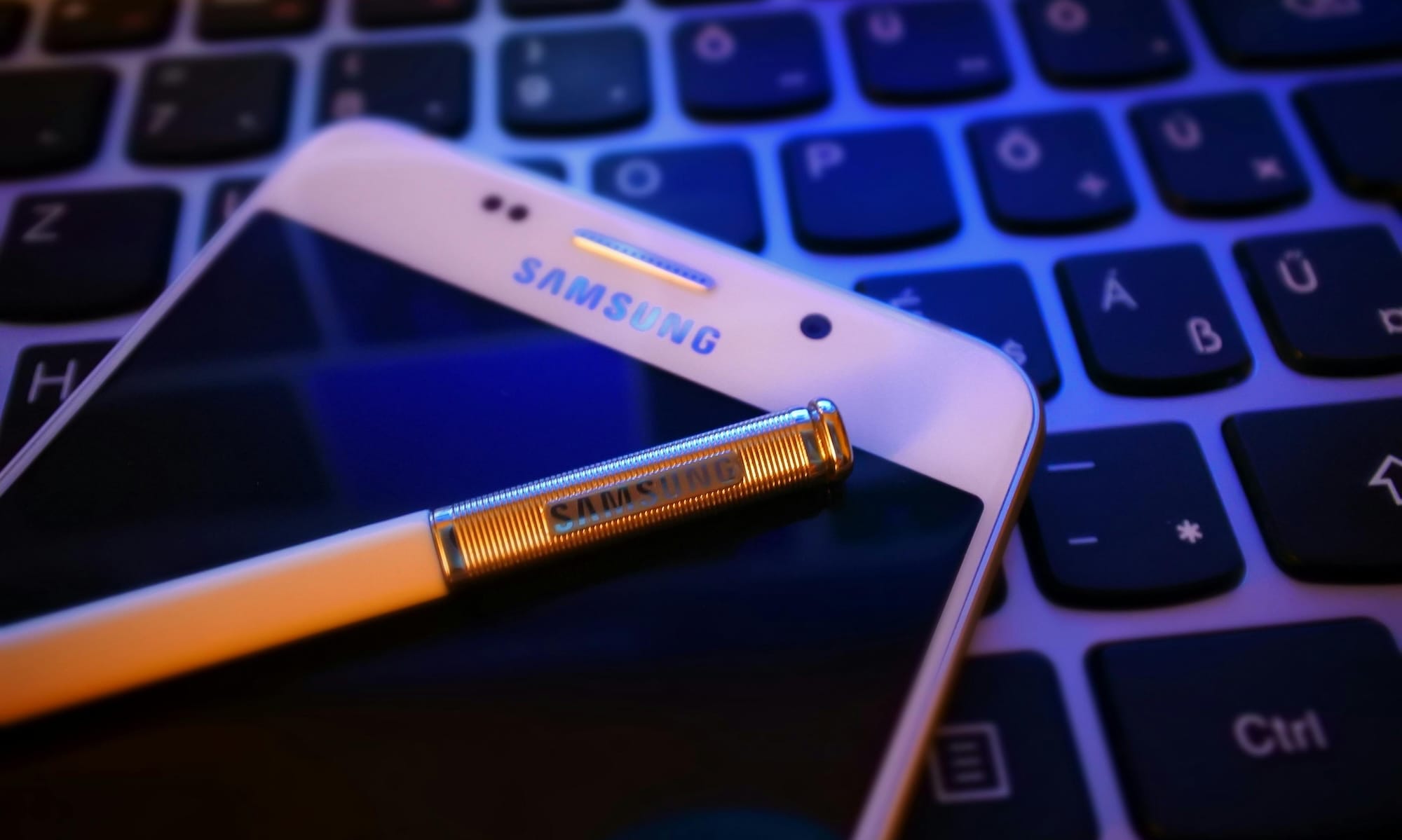
<img alt="Best Stylus Phones" class="attachment-full size-full wp-post-image" height="1199" src="https://thegadgetflow.com/wp-content/uploads/2026/04/Best-Stylus-Phones-01.jpg" style="float: none; margin: 0 0 15px; display: block;" width="2000" /> <p>If you’re someone who constantly jots things down—notes, ideas, to-do lists, random thoughts at 2pm—then you already know a <a href="https://thegadgetflow.com/blog/is-the-iphone-17-actually-a-big-upgrade-over-the-iphone-16/" rel="noreferrer noopener" target="_blank">smartphone</a> isn’t your best friend. I’ve tried doing everything with my thumbs, and I always end up wishing I could just <em>write</em>. That’s where the best stylus phones come in.</p> <p>But if we’re being honest, most of them sound better than they actually are in real life. Some lag, others make you carry a separate pen (which you will lose), and others pay zero attention to the writing experience.</p> <p>So instead of listing every option out there, I’m focusing on the stylus phones I’d actually buy in 2026—the ones that make note-taking easier.</p> <h2 class="wp-block-heading" id="h-what-you-actually-need-in-a-stylus-phone">What You Actually Need in a Stylus Phone</h2> <p>If you’re buying a stylus phone, you want something you’ll actually use. Because if you’re serious about taking <a href="https://thegadgetflow.com/product/samsung-galaxy-s26-series-ai-smartphone/" rel="noreferrer noopener" target="_blank">digital notes</a>, you need a device that fits into your day without any friction. With that in mind, here’s what you actually need in a stylus phone:</p> <h3 class="wp-block-heading" id="h-a-stylus-that-feels-instant-not-laggy-or-floaty">– A stylus that feels instant (not laggy or floaty)</h3> <p>Responsiveness is what helps a stylus feels natural. Premium devices like the <a href="https://thegadgetflow.com/product/samsung-galaxy-s26-series-ai-smartphone/" rel="noreferrer noopener" target="_blank">Samsung Galaxy S26 Ultra</a> use advanced digitizers with thousands of pressure levels (around 4,096), which helps create a more precise, <a href="https://www.samsung.com/latin_en/mobile-accessories/galaxy-s26-ultra-s-pen-silver-ej-ps948bsegww/?utm_source=GadgetFlow&utm_medium=GadgetFlow&utm_campaign=GadgetFlow" rel="noreferrer noopener" target="_blank">pen-like experience</a>.<br />If that responsiveness isn’t there, digital writing starts to feel discontent—the screen ink isn’t showing up when your pen moves. If that happens, most people stop using the stylus and toss it in the tech drawer.</p> <h3 class="wp-block-heading" id="h-a-stylus-you-don-t-have-to-think-about">– A stylus you don’t have to think about</h3> <p>There’s a huge difference between phones with a built-in stylus and those that just support one. Many devices don’t include <a href="https://www.digitaltrends.com/phones/does-the-samsung-galaxy-s24-come-with-a-pen-stylus/?utm_source=GadgetFlow&utm_medium=GadgetFlow&utm_campaign=GadgetFlow" rel="noreferrer noopener" target="_blank">storage</a>—or even proper stylus functionality at all. That could put you in a situation where you’re stuck carrying a separate pen or using a stylus with limited features. Neither supports long-term use.</p> <h3 class="wp-block-heading" id="h-features-that-actually-speed-things-up">– Features that actually speed things up</h3> <p>The best stylus phones don’t just focus on writing—they also <a href="https://www.pockettactics.com/best-stylus-phones?utm_source=GadgetFlow&utm_medium=GadgetFlow&utm_campaign=GadgetFlow" rel="noreferrer noopener" target="_blank">reduce steps</a>. Features like off-screen notes, quick annotations, and smart selection tools are what makes stylus feel useful day-to-day. These sorts of productivity features are a big reason flagship stylus phones consistently rank as the best options for real-world use.</p> <h3 class="wp-block-heading" id="h-a-display-that-gives-you-space-to-work">– A display that gives you space to work</h3> <p id="h-a-display-that-gives-you-space-to-work-most-top-stylus-phones-lean-toward-larger-displays-around-6-8-inches-or-more-which-isn-t-random-it-s-because-writing-sketching-and-multitasking-all-benefit-from-extra-space-on-smaller-screens-the-experience-quickly-starts-to-feel-cramped">Most top stylus phones lean toward larger displays (around 6.8 inches or more). The extra space makes writing, sketching and multitasking more comfortable. On smaller screens, the experience quickly starts to feel cramped.</p> <h2 class="wp-block-heading" id="h-the-best-stylus-phones-for-note-takers-creators-amp-multitaskers">The Best Stylus Phones for Note-Takers, Creators & Multitaskers</h2> <h3 class="wp-block-heading" id="h-best-overall-stylus-phone">Best Overall Stylus Phone</h3> <div class="gadgetblocks-block-wrapper gadgetblocks-product-card-block-wrapper"><div class="gadgetblocks-block" style="padding: 0;"><div class="gadgetblocks-product-card-item"><div class="gadgetblocks-product-card-row"><div class="gadgetblocks-product-card-col"><div class="gadgetblocks-product-card-thumbnail"><img alt="Samsung Galaxy S26 Ultra 01" class="attachment-thumbnail size-thumbnail" height="250" src="https://thegadgetflow.com/wp-content/uploads/2026/04/Samsung-Galaxy-S26-Ultra-01-420x250.jpg" width="420" /><figcaption class="wp-element-caption">Samsung</figcaption></div></div><div class="gadgetblocks-product-card-col"><div class="gadgetblocks-product-card-content"><h2>Samsung Galaxy S26 Ultra</h2><p>This is the one I’d pick if you want a stylus phone that actively shapes how you use your phone throughout the day. The S Pen experience stays central, but what really sets this model apart is how tightly AI is woven into everyday actions. Instead of jumping between tools, you can edit, enhance, or rework images just by typing or tapping—turning rough ideas or quick captures into something usable in seconds. Multitaskers will also notice how much smoother the system feels overall. AI-driven prompts help you reply, organize, and stay on top of tasks without constantly switching apps, while the processor keeps everything responsive under load.</p><div class="gfl-button"><a class="gfl-single-button-link amazon" href="https://amzn.to/3Q5OHt0" target="_blank"><span class="gfl-single-button-link-text">Get it for</span> <span class="gfl-single-product-price original-price converted"><span>$</span><span>1299.99</span></span><span class="gfl-single-product-price discounted-price converted"><span>$</span><span>1079.00</span></span><span class="discount-percentage">-17%</span></a></div></div></div></div></div></div></div> <h3 class="wp-block-heading" id="h-best-budget-stylus-phone">Best Budget Stylus Phone</h3> <div class="gadgetblocks-block-wrapper gadgetblocks-product-card-block-wrapper"><div class="gadgetblocks-block" style="padding: 0;"><div class="gadgetblocks-product-card-item"><div class="gadgetblocks-product-card-row"><div class="gadgetblocks-product-card-col"><div class="gadgetblocks-product-card-thumbnail"><img alt="Moto G Stylus 2025" class="attachment-thumbnail size-thumbnail" height="250" src="https://thegadgetflow.com/wp-content/uploads/2026/04/Moto-G-Stylus-2025-01-420x250.jpg" width="420" /><figcaption class="wp-element-caption">Motorola</figcaption></div></div><div class="gadgetblocks-product-card-col"><div class="gadgetblocks-product-card-content"><h2>Motorola Moto G Stylus 2025</h2><p>This is what I’d recommend to anyone who wants to test whether a stylus actually fits into their routine—without committing to a premium device. The stylus here is built for fast capture: quick notes, rough sketches, and immediate markups that don’t interrupt whatever else you’re doing. Multitasking stays approachable rather than overwhelming. The large display keeps everyday switching between apps comfortable, making it easy to pair notes with media, browsing, or planning.</p><div class="gfl-button"><a class="gfl-single-button-link amazon" href="https://amzn.to/4vyD5P9" target="_blank"><span class="gfl-single-button-link-text">Get it for</span> <span class="gfl-single-product-price original-price converted"><span>$</span><span>399.99</span></span><span class="gfl-single-product-price discounted-price converted"><span>$</span><span>349.99</span></span><span class="discount-percentage">-12.5%</span></a></div></div></div></div></div></div></div> <h3 class="wp-block-heading" id="h-best-foldable-alternative-for-productivity">Best Foldable Alternative for Productivity</h3> <div class="gadgetblocks-block-wrapper gadgetblocks-product-card-block-wrapper"><div class="gadgetblocks-block" style="padding: 0;"><div class="gadgetblocks-product-card-item"><div class="gadgetblocks-product-card-row"><div class="gadgetblocks-product-card-col"><div class="gadgetblocks-product-card-thumbnail"><img alt="Honor Magic V5" class="attachment-thumbnail size-thumbnail" height="250" src="https://thegadgetflow.com/wp-content/uploads/2026/04/Honor-Magic-V5-420x250.jpg" width="420" /><figcaption class="wp-element-caption">Honor</figcaption></div></div><div class="gadgetblocks-product-card-col"><div class="gadgetblocks-product-card-content"><h2>Honor Magic V5 5G</h2><p>For a new take on productivity, the Honor Magic V5 5G turns into a flexible workspace. Yep, the 7.95″ unfolded display brings a mini tablet to your pocket, allowing ideas, references, and sketches to coexist without constant zooming or switching. For multitaskers, it supports running multiple apps at once, making it easy to keep notes, research, and communication visible side by side. I, for one, am a visual person. This phone gives me a large, adaptable canvas to work on, anytime I need it. Note: it works with the Honor Magic Pen, which is sold separately. </p><div class="gfl-button"><a class="gfl-single-button-link other" href="https://www.amazon.com/MBH-N49-International-Dual-SIM-Unlocked-Smartphone/dp/B0FN1DT3KX" target="_blank"><span class="gfl-single-button-link-text">Get it for</span> <span class="gfl-single-product-price discounted-price converted"><span>$</span><span>632.02</span></span></a></div></div></div></div></div></div></div> <h3 class="wp-block-heading" id="h-best-stylus-phone-for-multitasking">Best Stylus Phone for Multitasking</h3> <div class="gadgetblocks-block-wrapper gadgetblocks-product-card-block-wrapper"><div class="gadgetblocks-block" style="padding: 0;"><div class="gadgetblocks-product-card-item"><div class="gadgetblocks-product-card-row"><div class="gadgetblocks-product-card-col"><div class="gadgetblocks-product-card-thumbnail"><img alt="Samsung Galaxy Fold Z6" class="attachment-thumbnail size-thumbnail" height="250" src="https://thegadgetflow.com/wp-content/uploads/2026/04/Samsung-Galaxy-Fold-Z6-01-420x250.jpg" width="420" /><figcaption class="wp-element-caption">Samsung</figcaption></div></div><div class="gadgetblocks-product-card-col"><div class="gadgetblocks-product-card-content"><h2>Samsung Galaxy Z Fold 6</h2><p>If you’re serious about taking notes on the go, the Samsung Galaxy Z Fold 6 is one of the most advances stylus phones out there. The stylus is central to the phone’s entire system. The 7.6″ inner screen gives note-taking a tablet-like feel. I love the multitasking features. Multiple windows allow writing, reading, and communication to happen at the same time—so workflows stay efficient. What’s more, AI-powered tools organize and refine notes so they’re easier to use—and find! However, the S Pen comes separately from the phone. While the Z Fold 7 is available, it has no stylus support at all. </p><div class="gfl-button"><a class="gfl-single-button-link other" href="https://www.amazon.com/Samsung-Galaxy-Fold-256GB-Navy/dp/B0DQ6NJTP9/ref=dp_fod_d_sccl_1/134-4700503-4203033?pd_rd_w=OXAsw&content-id=amzn1.sym.1576c491-6485-4e19-aad6-d5eb937b2d51&pf_rd_p=1576c491-6485-4e19-aad6-d5eb937b2d51&pf_rd_r=4RV94N0KDG2WNRD361H6&pd_rd_wg=RDmtZ&pd_rd_r=2c181a05-5da6-4607-a878-2905ab73ae20&pd_rd_i=B0DQ6NJTP9&psc=1" target="_blank"><span class="gfl-single-button-link-text">Get it for</span> <span class="gfl-single-product-price original-price converted"><span>$</span><span>675.99</span></span><span class="gfl-single-product-price discounted-price converted"><span>$</span><span>624.99</span></span><span class="discount-percentage">-7.5%</span></a></div></div></div></div></div></div></div> <h2 class="wp-block-heading" id="h-what-to-skip"><strong>What to Skip</strong></h2> <p id="h-what-to-skip-one-of-the-biggest-mistakes-people-make-is-buying-a-stylus-compatible-phone-instead-of-one-that-s-actually-built-around-it-if-the-stylus-isn-t-integrated-or-doesn-t-have-proper-software-support-you-ll-end-up-not-using-it-it-s-also-easy-to-overpay-for-features-that-don-t-matter-here-top-tier-cameras-and-gaming-performance-sound-great-but-they-don-t-improve-your-note-taking-workflow-prioritize-the-writing-experience-first-another-common-trap-is-ignoring-screen-size-a-smaller-display-might-feel-more-portable-but-it-makes-writing-and-multitasking-frustrating-fast-and-finally-avoid-anything-that-adds-friction-separate-styluses-laggy-input-or-clunky-note-apps-if-it-s-not-effortless-it-won-t-stick-quick-start-advice-if-you-re-unsure-where-to-start-go-with-a-phone-that-has-a-built-in-stylus-and-a-proven-track-record-then-pay-attention-to-how-often-you-actually-use-it-in-the-first-week-try-this-replace-one-daily-habit-notes-to-do-lists-quick-reminders-with-the-stylus-instead-of-typing-if-it-immediately-feels-easier-you-picked-the-right-device-and-before-you-buy-think-about-where-you-ll-use-it-most-at-a-desk-on-the-go-or-in-meetings-that-one-detail-will-usually-tell-you-whether-you-need-a-full-flagship-or-a-simpler-option">One of the biggest mistakes people make is buying a “stylus-compatible” phone instead of one that’s actually built around it. If the <a href="https://thegadgetflow.com/product/samsung-galaxy-z-fold6/" rel="noreferrer noopener" target="_blank">stylus</a> isn’t integrated—or doesn’t have proper software support—you’ll end up not using it.</p> <p id="h-what-to-skip-one-of-the-biggest-mistakes-people-make-is-buying-a-stylus-compatible-phone-instead-of-one-that-s-actually-built-around-it-if-the-stylus-isn-t-integrated-or-doesn-t-have-proper-software-support-you-ll-end-up-not-using-it-it-s-also-easy-to-overpay-for-features-that-don-t-matter-here-top-tier-cameras-and-gaming-performance-sound-great-but-they-don-t-improve-your-note-taking-workflow-prioritize-the-writing-experience-first-another-common-trap-is-ignoring-screen-size-a-smaller-display-might-feel-more-portable-but-it-makes-writing-and-multitasking-frustrating-fast-and-finally-avoid-anything-that-adds-friction-separate-styluses-laggy-input-or-clunky-note-apps-if-it-s-not-effortless-it-won-t-stick-quick-start-advice-if-you-re-unsure-where-to-start-go-with-a-phone-that-has-a-built-in-stylus-and-a-proven-track-record-then-pay-attention-to-how-often-you-actually-use-it-in-the-first-week-try-this-replace-one-daily-habit-notes-to-do-lists-quick-reminders-with-the-stylus-instead-of-typing-if-it-immediately-feels-easier-you-picked-the-right-device-and-before-you-buy-think-about-where-you-ll-use-it-most-at-a-desk-on-the-go-or-in-meetings-that-one-detail-will-usually-tell-you-whether-you-need-a-full-flagship-or-a-simpler-option">It’s also easy to overpay for features that don’t matter here. Top-tier cameras and gaming performance sound great, but they don’t improve your note-taking workflow. Prioritize the writing experience first.</p> <p id="h-what-to-skip-one-of-the-biggest-mistakes-people-make-is-buying-a-stylus-compatible-phone-instead-of-one-that-s-actually-built-around-it-if-the-stylus-isn-t-integrated-or-doesn-t-have-proper-software-support-you-ll-end-up-not-using-it-it-s-also-easy-to-overpay-for-features-that-don-t-matter-here-top-tier-cameras-and-gaming-performance-sound-great-but-they-don-t-improve-your-note-taking-workflow-prioritize-the-writing-experience-first-another-common-trap-is-ignoring-screen-size-a-smaller-display-might-feel-more-portable-but-it-makes-writing-and-multitasking-frustrating-fast-and-finally-avoid-anything-that-adds-friction-separate-styluses-laggy-input-or-clunky-note-apps-if-it-s-not-effortless-it-won-t-stick-quick-start-advice-if-you-re-unsure-where-to-start-go-with-a-phone-that-has-a-built-in-stylus-and-a-proven-track-record-then-pay-attention-to-how-often-you-actually-use-it-in-the-first-week-try-this-replace-one-daily-habit-notes-to-do-lists-quick-reminders-with-the-stylus-instead-of-typing-if-it-immediately-feels-easier-you-picked-the-right-device-and-before-you-buy-think-about-where-you-ll-use-it-most-at-a-desk-on-the-go-or-in-meetings-that-one-detail-will-usually-tell-you-whether-you-need-a-full-flagship-or-a-simpler-option">Another common trap is ignoring screen size. A smaller display might feel more portable, but it makes writing and multitasking frustrating fast. And finally, avoid anything that adds friction—separate styluses, laggy input, or clunky note apps. If it’s not effortless, it won’t stick.</p> <p><strong>Still deciding? You might also like</strong>: <a href="https://thegadgetflow.com/blog/best-e-ink-tablets-for-writers-and-students/" rel="noreferrer noopener" target="_blank">The Best E-Ink Tablets in 2026 for People Who Need to Focus</a></p> <h2 class="wp-block-heading" id="h-quick-start-advice"><strong>Quick-Start Advice</strong></h2> <p id="h-quick-start-advice-if-you-re-unsure-where-to-start-go-with-a-phone-that-has-a-built-in-stylus-and-a-proven-track-record-then-pay-attention-to-how-often-you-actually-use-it-in-the-first-week-try-this-replace-one-daily-habit-notes-to-do-lists-quick-reminders-with-the-stylus-instead-of-typing-if-it-immediately-feels-easier-you-picked-the-right-deviceand-before-you-buy-think-about-where-you-ll-use-it-most-at-a-desk-on-the-go-or-in-meetings-that-one-detail-will-usually-tell-you-whether-you-need-a-full-flagship-or-a-simpler-option">If you’re unsure where to start, go with a phone that has a built-in stylus and a proven track record—then pay attention to how often you actually use it in the first week.<br />Try this: replace one daily habit (notes, to-do lists, quick reminders) with the stylus instead of typing. If it immediately feels easier, you picked the right deviceAnd before you buy, think about where you’ll use it most—at a desk, on the go, or in meetings. That one detail will usually tell you whether you need a full flagship or a simpler option.<br /><br /><br /><br /><br /><br /><br /><br /><br /><br /><br /></p> <p>The post <a href="https://thegadgetflow.com/blog/best-stylus-phones/">The best stylus phones for note-takers, creators & multitaskers—what I’d actually buy in 2026</a> appeared first on <a href="https://thegadgetflow.com">Gadget Flow</a>.</p>

Skullcandy Push 540 Open
<img alt="Skullcandy Push 540 Open" class="attachment-full size-full wp-post-image" height="900" src="https://thegadgetflow.com/wp-content/uploads/2026/04/Skullcandy-Push-540-Open-02.jpg" style="float: none; margin: 0 0 15px; display: block;" width="1600" /><p>The Skullcandy Push 540 Open brings open-ear audio to active lifestyles, pairing secure over-ear hooks with a detachable neckband for all-day comfort and awareness.</p> <ul> <li><b>Open-Ear Design</b>: The earbuds sit outside your ear canal and let in ambient sound. As a result, you hear traffic, teammates, or coworkers without taking them off, which suits runs, commutes, and workdays.</li> <li><b>42-Hour Battery with Rapid Charge</b>: Battery keeps pace with long use. You get 10 hours in the buds and 32 more in the case, and a quick 10-minute charge adds 2 hours for most workouts.</li> <li><b>Detachable Magnetic Neckband</b>: Neckband clips to both earbuds for extra security during high-movement activity and stores neatly inside the charging case when not needed.</li> <li><b>IP44 Sweat and Water Resistance</b>: Meanwhile, the build handles sweat, splashes, and light rain. It holds up through tough sessions without fuss.</li> <li><b>Skullcandy App and Multipoint Pairing</b>: Customize EQ settings, remap button controls, and connect to two devices at once for a setup that fits the way you work and move.</li> </ul> <p>The Skullcandy Push 540 Open is a practical choice for active users who want reliable <a href="https://thegadgetflow.com/categories/music-enthusiasts/" rel="noopener" target="_blank">sound</a> without losing touch with their surroundings.</p> <p>The post <a href="https://thegadgetflow.com/product/skullcandy-push-540-open-true-wireless-earbuds/">Skullcandy Push 540 Open</a> appeared first on <a href="https://thegadgetflow.com">Gadget Flow</a>.</p>

PocketTerm35 – A Raspberry Pi 4/5-based handheld Linux terminal with 3.5-inch touch display and built-in keyboard
Wakeshare PocketTerm32 is a portable handheld terminal for the Raspberry Pi 4 or 5 single board computers featuring a 3.5-inch touchscreen display and a built-in QWERTY keyboard. The device also features Gigabit Ethernet and USB 3.0/2.0 ports from the Raspberry Pi SBC, gaming buttons, a built-in stereo speaker, a 3.5mm audio jack, a USB Type-C port for power, and an optional 5,000 mAh battery. PocketTerm35 specifications: Compatible SBC – Raspberry Pi 4 Model B and Raspberry Pi 5 MCU – Raspberry Pi RP2040 MCU for keyboard, brightness, and volume Storage – Optional 64GB microSD card with OS Display – 3.5-inch 640 × 480 IPS display with 5-point capacitive touch; toughened glass panel, 6H hardness Audio Built-in 8Ω 2W stereo speaker 3.5mm audio jack Networking – Gigabit Ethernet ports (on Pi 4/5) USB – 2x USB 3.0 ports, 2x USB 2.0 ports (on Pi 4/5) User Input 67 keys QWERTY silicone keyboard [...] The post PocketTerm35 – A Raspberry Pi 4/5-based handheld Linux terminal with 3.5-inch touch display and built-in keyboard appeared first on CNX Software - Embedded Systems News .

Bee Write Back – A Raspberry Pi Zero 2 W-based DIY writerdeck with 5.5-inch OLED and mechanical keyboard
<p>Based on Raspberry Pi Zero 2 W, the Bee Write Back writerdeck is another DIY project that should be relatively easy to reproduce, since it relies on off-the-shelf parts, including an OLED and mechanical key switches and caps, as well as a 3D printed enclosure. Simon (shmimel) had trouble falling asleep and found out that journaling helped him a lot, but he was not so fond of writing in a physical journal. So instead, he created the Bee Write Back journal/writerdeck as a distraction-free writing machine, and the result looks pretty neat. Bee Write Back key components: Raspberry Pi Zero 2 W SBC with Broadcom BCM2711 quad-core Cortex-A53 SoC, 512 MB RAM, WiFi 4 and Bluetooth 4.2 Display &#8211; 5.5-inch AMOLED screen with 1280 x 720 resolution($52 on AliExpress) Keyboard accessories 47x switches 47x keycaps YMDK Air40 keyboard PCB (about $30 on AliExpress) Power &#8211; Seengreat Pi Zero UPS USB HUB [...] The post Bee Write Back &#8211; A Raspberry Pi Zero 2 W-based DIY writerdeck with 5.5-inch OLED and mechanical keyboard appeared first on CNX Software - Embedded Systems News .</p>

Trail Mate open-source firmware leverages Meshtastic and MeshCore for ESP32 off-grid handhelds
vicliu624’s Trail Mate is an open-source firmware for off-grid communication and GPS coordinates sharing, leveraging the Meshtastic, MeshCore, and other projects, and designed for ESP32 handhelds such as LILYGO’s T-LoRa Pager or M5Stack’s Tab5 with a LoRaWAN module. The Trail Mate firmware provides a fixed north-up GPS map, direct LoRa text messaging through Meshtastic or MeshCore mesh networks without relying on a smartphone, and prioritizes stability, efficiency, and interoperability over feature density. Trail Mate user interface highlights: Simple main menu with four icons: GPS, LoRa chat, tracker, and system utilities. GPS map Fixed North-Up map orientation (no rotation) Fully offline map rendering from SD card tiles (png/jpg files) Three switchable base layers: OSM / Terrain / Satellite Optional contour overlay for terrain shape awareness Real-time position marker for the current GPS fix Discrete zoom levels optimized for embedded systems Simple breadcrumb trails for path awareness Fast in-page layer switching via [...] The post Trail Mate open-source firmware leverages Meshtastic and MeshCore for ESP32 off-grid handhelds appeared first on CNX Software - Embedded Systems News .