Your Rough Cut Is Stuck in the Hunt, Not the Cut
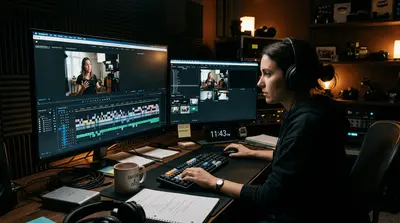
It’s late. You’ve got ninety minutes of interview, a bin of B-roll labeled C0047 through C0212, and a cut due in the morning. You remember a shot of someone laughing by a window. You have no idea which clip it’s in. The first real decision of the night is also the slowest one: what do I even have?
That’s where most rough cuts stall. Not in the cutting but in the hunting. Premiere has a handful of AI tools aimed squarely at that problem, and used together, they change how quickly a first pass comes together.
Find the Shot You Half Remember
Start with Media Intelligence. It analyzes your clips so you can search by what’s in the picture, what’s being said, or what’s in the metadata. Type a description of the shot you half remember from the shoot, and Premiere surfaces candidates. The models run locally on your computer and don’t train on your footage or your searches, which is worth knowing if you’re cutting something nobody has seen yet. Found one frame you love? Use it to search for similar visuals, a quick way to build a pile of options around a look.
Analysis runs in the background (you can watch it in the Progress panel), so turn it on before you break for dinner. If a search comes back crowded, filters help narrow it down.
Cutting From a Script? Find Every Take
Media Intelligence is just as handy when you’re cutting from a script. You know the dialogue is in there, because you can read it right on the page. But you’ve got six takes of the scene and no idea which clip holds which. Run Speech to Text first, then search for a line of dialogue from the script. Premiere finds the spoken words across your clips, so you see every take of that line in one place instead of opening clips one by one. Now you’re comparing performances, not hunting for them: which read lands, which one has the better pause, whether the actor nailed it on take four.
Search covers metadata too, so any scene or take names embedded in your clips are searchable right alongside the picture and the


Comments
No comments yet. Be the first to share your thoughts.