The shiny new Xbox PC app is going live today for Insiders — Here's how to get it early

The new Xbox PC app, which we recently dived into in its earlier forms, is finally going live for testers today. Here's what you need to know.
On Xbox Wire, Microsoft's VP for Xbox Experiences, Jason Beaumont, revealed that the latest Xbox PC app iteration offers 60% improved launch speed and detailed some of the usability refinements we previously saw in earlier versions.
I demonstrated the upcoming Xbox PC app in a couple of videos recently. It is a web app, but it's orders of magnitude faster than previous versions, and rubber banding on devices like the Xbox Ally X has been virtually eliminated .
"We’re also bringing the refreshed XBOX web experience to more players and rolling out updates to XBOX cloud gaming apps on supported TVs and VR headsets," Beamont explained. "These changes are part of our work to make XBOX faster, simpler, and more familiar wherever you play."
Indeed, the Xbox Cloud Gaming app has also received a similar overhaul, the interface of which has been in testing and early rollout for a few months. The idea revolves around unifying the different Xbox experiences across PC, TV, mobile devices, cloud, consoles, and handhelds so that the most familiar parts of the apps are always within muscle memory.
If you want to test out the new Xbox PC app today, you'll need to enroll your gaming PC in the Xbox Insider test on PC specifically, using the Xbox Insider Hub app from the Microsoft Store .
Download the Xbox Insider Hub on your PC from here .
Navigate to Previews from the left panel.
Scroll down to find "PC gaming."
Click "Join" and wait while it says "Pending." You can leave the app.
Check 10-15 minutes later to see if it now says "Manage." If so, you're now enrolled.
Reboot your PC and check the Xbox app and Microsoft Store for an update.
The Xbox PC app has improved leaps and bounds
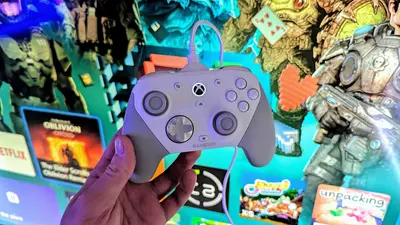
The new app performs far better on desktop PCs and on gaming handhelds. (Image credit: Windows Central | Jez Corden) The Xbox PC app still has a big feature gap c

Comments
No comments yet. Be the first to share your thoughts.