Adobe’s Premiere updates bring more AI into the editing timeline
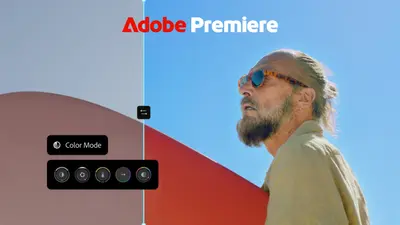
Adobe’s Max announcements span more approachable color grading, expanded audio cleanup and object removal for video.
Disclosure: DPReview is attending Adobe Max, with Adobe covering travel and lodging expenses.
Adobe’s annual Max conference is underway, and Premiere is getting a lengthy list of updates spanning color grading, audio cleanup and generative AI. Adobe is also expanding its AI assistants and previewing connections that let third-party AI agents work directly in Premiere projects. As with the company’s photography announcements, some of these tools have already appeared in beta, though there are more updates for the video side of things.
Color Mode leaves beta
Screenshot from the April announcement. Adobe
Color Mode is becoming generally available after Adobe introduced it in public beta in April. It gives Premiere a dedicated color-grading environment, with a simplified user interface separate from the typical timeline view. It’s designed to make color grading more approachable for video editors, without requiring the specialized expertise of a professional colorist.
As with the initial version, it features “Style Presets,” which Adobe says are more flexible than applying a LUT. They are editable, stackable collections of adjustments that let you adjust different aspects of the look, rather than forcing you to accept a fully-baked transformation
With the presets, editors can see how a look affects the sequence at a glance, making it easy to see if everything matches. If there are individual clips or groups of clips that need additional adjustments, the editor can select those to fine-tune the look. It should be a useful tool when most of an edit looks consistent, but a handful of shots need extra attention.
Generative Remove tackles unwanted objects in video
Premiere’s Generative Remove is entering beta, giving editors a way to remove unwanted objects from footage and fill the resulting space with generated detail. In Adobe’s briefing, the tool



Comments
No comments yet. Be the first to share your thoughts.