Instagram Edits for Mac Released – Multi-Track Timeline, LUT Import and Watermark-Free 4K Export
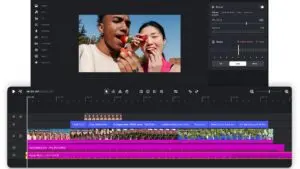
Instagram has released Edits for Mac, a free desktop version of its video editing app. The first desktop build adds a multi-track timeline with keyframes and audio waveforms, color wheels, curves, Log conversions and LUT import, plus custom keyboard shortcuts and an MCP connection for AI agents. Projects publish directly to Instagram or export in up to 4K without a watermark. Edits on desktop requires a Mac with Apple silicon and an Instagram account; there is no Windows version.
We first reported on Edits when Instagram launched the app as a mobile-only editor in April 2025 . At that time, it offered a frame-accurate timeline, in-app recording up to 4K and watermark-free export, and a keyframe tool was still in development. According to Instagram, more than 50 million people now use Edits. The desktop version is the company’s answer to a request it says it hears often from creators. “A project gets too big for your phone,” Brett Westervelt, who leads the Edits app, writes in the launch blog post . “You’ve got a dozen clips going, you’re trying to land a cut on the exact beat, and your thumb covers the part of the timeline you need to see.”
The move puts Edits in more direct competition with ByteDance’s CapCut, which has offered desktop versions for Windows and Mac since 2021. It also follows Adobe’s step in the opposite direction, when the company brought Premiere to the iPhone for free in 2025.
Multi-track timeline and keyframes
The core of Edits on desktop is a full multi-track timeline. Media goes into it by drag and drop, and clips can be cut and trimmed frame by frame. Keyframes, which the mobile app did not have at launch, are now available for transitions and other animated changes. Audio waveforms are visible on the timeline for cuts on the beat, and Instagram’s screenshots also show a Beats panel that places markers on the music track.
Instagram describes the interface as the same one creators know from the mobile app, with more room on screen. Keyboa



Comments
No comments yet. Be the first to share your thoughts.