Samsung Gallery can finally sync your photos directly to Google Photos
What you need to know
Samsung has introduced Galaxy Sync, allowing Galaxy users to back up photos and videos directly to Google Photos.
The new integration lets users access synced photos across Galaxy devices without switching to the Google Photos app.
Galaxy Sync is rolling out with One UI 9, but older photos already stored in Google Photos won't appear in Gallery.
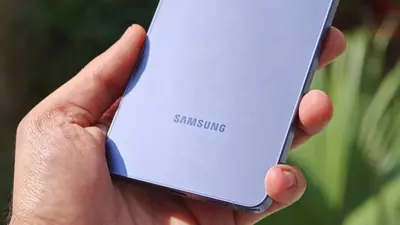
Samsung has finally announced Galaxy Sync for Galaxy smartphones, allowing users to automatically sync photos and videos from Samsung Gallery to Google Photos in the background.
After Samsung ended its partnership with Microsoft OneDrive earlier this year, there were reports that the company would partner with Google to bring a new Gallery Sync feature to Galaxy smartphones, allowing users to sync their photos directly from Samsung Gallery to Google Photos . And now, the feature is finally here.
According to Samsung's official announcement , the new Gallery Sync feature allows users to back up their photos and videos directly to Google's cloud storage without having to switch to another app. All you need to do is sign in with your Samsung and Google accounts and enable the feature in the Gallery app.
What's interesting is that the new integration also makes it easier to access your photos across multiple Galaxy devices.
For example, if you take a photo on your Galaxy smartphone, you'll be able to see it in the Gallery app on your Galaxy tablet, provided both devices are signed in with the same accounts and have syncing enabled.
(Image credit: Samsung) Samsung is also introducing a new "Free up space on this phone" feature that lets users remove photos and videos from their device once they've been backed up to Google storage. The Gallery app will continue showing thumbnails of those files, and you can download the original versions whenever you need them.
As for storage, the feature uses your existing Google account storage, which is shared across Google Photos, Gmail, and Google Drive. This means you

Comments
No comments yet. Be the first to share your thoughts.