How to Position a Webcam on Your Monitor: Step-by-Step for Better Video Calls

Getting webcam placement right takes only a few minutes and immediately improves how you appear on video calls. A camera placed too low, too high, or off to one side creates unflattering angles and breaks the natural eye contact that makes conversations feel real. This guide shows mounting, alignment, and framing calibration step by step, using the Hollyland Lyra webcam as the demonstration unit throughout.
Why Webcam Placement Changes How You Look On-Camera
Your lens position determines the camera angle people see during calls. Even small placement changes can noticeably affect how you appear.
The three most common placement problems are:
Too low: The camera shoots upward, revealing your nostrils and the ceiling behind you while distorting your chin and jawline.
Too high: The camera angles down, making you look small and distant.
Off-center: The lens sits to one side, so your eyes appear directed away from the person you are speaking to, breaking natural eye contact.
Placing the webcam at eye level , top-center of the monitor, solves all three at once.
What You Need Before You Start
Confirm you have the following before mounting:
A webcam with its clip mount and cable. This guide uses the Hollyland Lyra, which ships with a magnetic monitor bracket (featuring a 1/4-inch threaded hole for optional tripod use), a 1.5 m USB-C to USB-C cable, and a USB-C to USB-A adapter.
A stable monitor positioned at your normal working height.
The two physical interfaces you will work with on the Lyra are the magnetic clip bracket on its underside and the USB-C port on its rear panel.
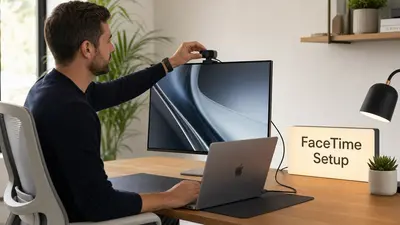
Step 1: Attach the Webcam Clip to the Top of Your Monitor
Open the monitor mount. Attach your Hollyland Lyra to its magnetic monitor mount first. The rubberized inner pads grip your monitor firmly without scratching it.
Seat the clip on the top bezel. Rest the front lip of the bracket on the front face of the monitor’s top edge, then fold the rear leg against the back of the bezel. The br

Comments
No comments yet. Be the first to share your thoughts.