How to Change the Aspect Ratio of Your Webcam [Step-by-Step Guide]
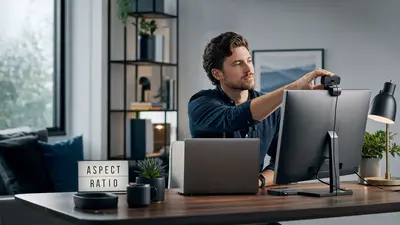
If your webcam video looks stretched, squeezed, or shows black bars, the aspect ratio may be the problem. This guide explains four ways to correct or change your webcam’s video ratio. You can adjust settings in its companion app or crop the video in OBS Studio or Zoom. The examples use the Hollyland Lyra , but these methods apply to most modern USB webcams.
What Is Webcam Aspect Ratio and When Should You Change It?
Aspect ratio describes the width-to-height relationship of a video frame, expressed as two numbers separated by a colon. A 1920×1080 frame and a 3840×2160 frame are both 16:9 because the width is always 1.78 times the height. Change one dimension without adjusting the other, and the image stretches or compresses.
The main difference is whether the change comes from hardware or software. Many older webcams only output 16:9 video, as their firmware sets the available resolutions. Newer webcams for content creators offer more options. For example, the Hollyland Lyra has magnetic mounts on both sides. You can turn the camera sideways to capture native 9:16 video without losing resolution. If your webcam cannot rotate physically, software such as OBS or streaming apps can crop or reframe its original 16:9 video before sending it to the next destination.
Three common reasons to change webcam aspect ratio:
A video call looks squished or letterboxed, and you need to restore the correct 16:9 framing.
You are creating content for a platform that requires a specific format, such as 1:1 for Instagram or 9:16 for TikTok.
Your OBS canvas is set to a non-16:9 ratio, and the webcam source needs to match.
Ratio Typical Use Common Resolutions
16:9 Video calls, streaming, YouTube 3840×2160, 1920×1080, 1280×720
4:3 Legacy apps, older conferencing defaults 1440×1080, 1024×768, 640×480
1:1 Instagram posts, square social clips 1080×1080
9:16 TikTok, Reels, vertical streaming 608×1080, 1080×1920
Method 1: Change Output Format via the Webcam Companion App (Hollyland Lyra
Comments
No comments yet. Be the first to share your thoughts.