Loosing notes!
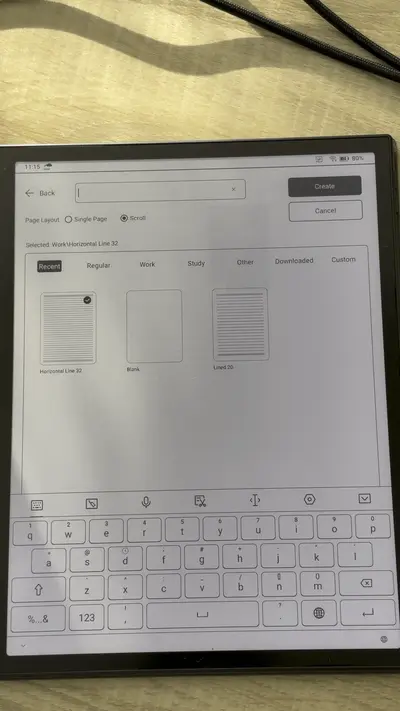
I really like my Note Air6 C and use it for all my pilot training notes. But I found a bug that can make a whole block of handwriting disappear when you insert a page. I reproduced it in a brand-new BOOX notebook, and the attached video shows it happening.
Device — BOOX Note Air6 C
Firmware — 4.3.1-rel
App — BOOX Notes
How to reproduce
Create a new notebook and write a few lines on page 1.
Add page 2. Select the handwriting with the lasso and drag it across the page boundary onto page 2.
With page 2 open, insert another page.
Return to the page you dragged the handwriting onto.
Expected — The moved handwriting stays where I put it.
Actual — The moved block disappears. The handwriting I wrote directly on that page stays visible.
I compared before-and-after .note exports from another notebook where this happened. BOOX was displaying the moved handwriting through references to pen strokes stored on a neighboring page. After inserting a page, 371 of those references became inactive , even though the pen strokes were still in the file. I can provide both exports to BOOX support.
For now , I’d avoid dragging handwriting across page boundaries. If you try Copy → Paste instead, keep the original until you’ve inserted the page, reopened the notebook and checked that the pasted text is still there. I haven’t confirmed that workaround yet.
BOOX team, if you’re reading this, please prioritize a fix. What worries me most is how easy this is to miss. You insert a page, carry on studying and might only realize later that part of your notes is gone. I rely on these notes for my training, and I need to trust that they’ll still be there when I come back to them. I’m genuinely happy with the device and want to keep using it. I’d hate to go back to a paper notebook just to feel sure my notes will still be there.
If you can reproduce it too, please share your BOOX model and firmware version.
submitted by /u/Odd_Path5184
[link] [留言]

Comments
No comments yet. Be the first to share your thoughts.