Consider Leveling Up Your Color Grading Workflows in Final Cut Pro With This New Color Plugin
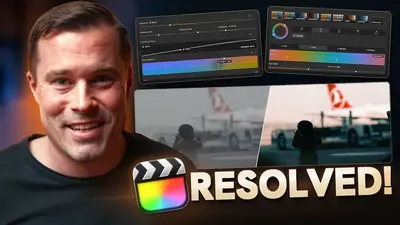
A new color grading plugin for Final Cut Pro on Apple Silicon Macs aims to streamline and speed up your entire grading workflow in FCP.
Developed by filmmaker and YouTuber Pascal Basel, Density 1.0 can prepare an entire timeline in one step, grade groups of clips together, shape looks with Color Style and Film Lab, and deliver SDR and HDR from the same grade.
Let’s take a look at this new color grading option, how it works with whole timelines, not just single clips, and what it could offer for your color workflows in FCP.
Density 1.0 Color Grading Plugin for FCP
A new color grading option is here from filmmaker and YouTuber Pascal Basel, and it aims to bring innovative new processes to your color workflows in Final Cut Pro on Apple Silicon Macs.
The big news is that this plugin can bring a full grading workflow into FCP, as it can work with entire timelines, not just single clips, and let users grade whole scenes together and develop looks that stay editable.
The goal is to provide a way to do one grade for every screen, which can then deliver SDR and HDR from the same grade in Final Cut Pro’s own Inspector.
A Step-by-Step Breakdown
Here’s a full step-by-step breakdown of how Density 1.0 works for color grading workflows in Final Cut Pro:
1. Prepare the timeline. Clip Board shows every clip of the edit as a card, so editors can find and select shots without hunting through the timeline. Effects, groups, and looks can be applied to a selection of clips, to everything in the current view (after searching or filtering, for example), or to the whole timeline. Auto Setup prepares them all in one step: the effects, each clip's Log profile detected and its matching input transform set, the Output from the project, the groups and, if chosen, ML Auto Balance, an editable starting point for exposure and white balance.
2. Build your own effect stack. Editors decide which effects every clip gets. In Add Effect Stack and Auto Setup, they pick any of Density's four main effect



Comments
No comments yet. Be the first to share your thoughts.