Tool Tip Tuesday for Adobe Premiere: Color Matching with the AI Assistant (Beta)
Welcome to Tool Tip Tuesday for Adobe Premiere on ProVideo Coalition
Adobe Premiere 2027 came out last week at Adobe MAX. There’s a lot in this release, and you’ll see articles from Scott and others about some of the amazing things you can do.
I’ve been very close to the way Adobe has designed their new color tools, and I’m excited by them. I feel they strongly get past the frameworks of Lumetri.
The Lumetri Color panel came to Premiere in 2015. It was based on the SpeedGrade engine (the Lumetri Deep Color Engine), which Adobe acquired in 2011 and brought into Premiere in 2013. Part of Lumetri’s issue was that it was never really designed modern workflows. I’ve dug into the new tools hard and I’m already fast with them – dig into the keyboard shortcuts should be a mandate
Meanwhile, there’s one thing, sadly, missing from the initial release: a way to color match . It’s not in this release.
Note: Lumetri isn’t gone. It’s still available as an effect and you can still put it on clips. And the new Properties panel allows you to make adjustments directly with Lumetri. As I mentioned last week , if you’ve got a group of editors, I still would hesitate to upgrade until Adobe does their intial bugfix – a 0.01 release.
The AI Assisstant
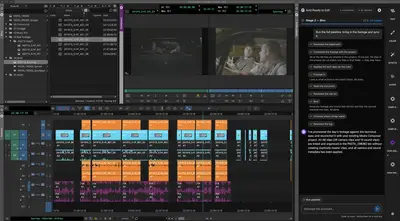
The other big release: the AI Assistant .
When you bring it up, it’s filled in with a bunch of suggested prompts. I’d like to think, at this point, we all know what to do with a prompt.
So, just playing around, I wondered if I could get it to match two shots. So that’s today’s tip.
Matching one shot to the next
Color Mode, comparison screen on.
Take a look at the frames in this split screen: a wide shot of a woman and a close-up of a face. The exterior shot is warmer , and the interior shot is definitely cooler .
I asked the Assistant to “match this shot to the next shot.” Then I rolled open Thinking so you could see what it would do.
It understood the underlying structure of both shots (including the color management), rendere

Comments
No comments yet. Be the first to share your thoughts.