Proton's Lumo is Finally Useful and Gives Us Hope for a Real Private AI
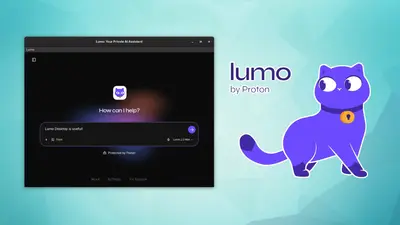
Lumo is, as you know, Proton's cat-themed AI assistant that positions itself as a private alternative to the likes of Gemini, ChatGPT, and Claude.
You can already use it on the web and through the Android and iOS apps. But now, Proton has launched a cross-platform desktop app for Lumo that covers most popular desktop platforms.
The app is not a from-scratch affair, as it takes the Lumo web app, puts it inside a Tauri window, and bolts on the parts that interact with your computer. Proton has put the wrapper on GitHub under the GPL-3.0, while the web app sits in a repository of its own.
Anyhow, I took it for a test run to see how it performed on a Linux system, specifically, my Fedora Workstation daily driver.
A late, but welcome arrival
Opening the app for the first time feels like using the web version ( partner link ). It has a tray icon, a few new settings, and a familiar square-shaped button that gives quick access to the other proton services like Mail , Drive , Calendar , Docs , and Sheets .
The desktop app gains many neat features, like Connectors , where Lumo can access your files and shell, along with apps such as Google Drive and Jira.
With Skills , you can store instructions and supporting files for Lumo to use in later chats, and existing Custom Lumos carry over to them automatically, and with Scheduled Tasks , you can have Lumo take care of a recurring job at set times.
There's also MCP server support that lets you hook up your own local/remote tools to Lumo. For all my tests below, I used the Lumo 2.0 Max model with " Thinking " mode on.
Scheduling some tasks
Going into the " Scheduled " tab gives you an overview of what kind of tasks Lumo can handle for you. Clicking the " New task " button lets you set one up manually or have Lumo create it; I went with the second option.
I asked it to fetch news from the Open Source, Linux, and a few related categories on certain days, and Lumo walked me through the details with a few multiple-choice questions.
Twe


Comments
No comments yet. Be the first to share your thoughts.