How to Live Stream Your Webcam on YouTube (Step-by-Step Guide)

Getting a live webcam stream onto YouTube takes less than 15 minutes once you know the right steps. This guide explains mounting and configuring the Hollyland Lyra webcam, choosing between YouTube Studio’s built-in webcam mode and OBS Studio, and running a final pre-stream check before you click Go Live. Whether you are streaming for the first time or switching from a built-in laptop camera, follow the steps below from top to bottom.
What You Need Before You Go Live
Before starting any step below, confirm you have everything on this list:
Verified YouTube channel with live streaming enabled. New channels require a one-time 24-hour activation after you first request Go Live access.
No live streaming restrictions on your channel in the past 90 days.
Upload speed of at least 5 Mbps for 1080p streaming or 15 Mbps for 4K30.
USB webcam (this guide uses the Hollyland Lyra).
PC or Mac running Chrome 60+ or Firefox 53+ if you plan to use YouTube Studio’s built-in webcam mode.
USB-C or USB 3.0 port if you want 1080p60 NV12 output from the Lyra.
The 24-hour activation period is the most common blocker for first-time streamers. Request access now if you have not already done so.
Step 1: Mount and Connect the Hollyland Lyra Webcam
The Lyra is a true plug-and-play UVC webcam. No driver installation is required on Windows or macOS.
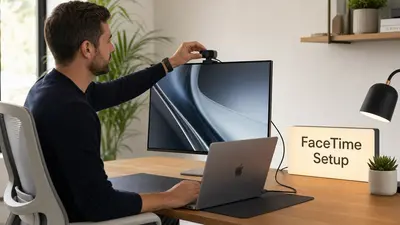
Position the Lyra on your monitor. Seat the integrated monitor clip over the top bezel of your monitor or laptop lid. Press the clip down until it grips the back panel firmly, with the lens centered and level with your eye line.
Connect via USB-C. Insert the included USB-C cable into the Lyra’s USB-C port, then connect the other end to a USB-C or USB 3.0 port on your PC or Mac.
Confirm OS recognition on Windows. Open Device Manager, expand the Cameras or Imaging Devices section, and confirm “Hollyland Lyra” appears in the list. No driver download is required.
Confirm OS recognition on macOS. Go to the Apple menu > System Settings > Genera


Comments
No comments yet. Be the first to share your thoughts.