How to Do ASMR on iPhone: Setup, Recording, and Sound Tips
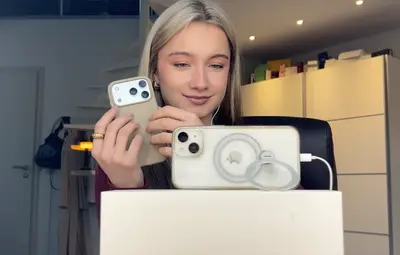
An iPhone is enough to start making ASMR videos, whether you want to record soft-spoken stories, notebook sounds, or gentle paper crinkles. The challenge is capturing these details without unwanted background noise, muffled audio, or sudden volume peaks.
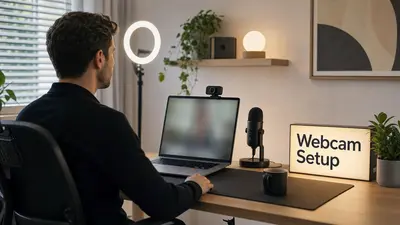
You do not need a professional studio to begin. A quiet room, stable phone position, and careful microphone placement can improve your recordings before you invest in additional equipment.
If you want more flexibility when recording your voice, a compatible wireless microphone such as the Hollyland LARK A2 is another option. This guide explains how to set up your iPhone, adjust available audio settings, record different ASMR triggers, and follow a practical 20-minute beginner session.
What Do You Need to Make ASMR on an iPhone?
You can start with your existing iPhone and add equipment as your recording style develops.
Use Your iPhone’s Built-In Microphones
Your iPhone’s built-in microphones are suitable for testing simple ASMR ideas before buying additional equipment. Start with whispers, page-turning, ceramic mug tapping, or a wooden pencil moving across paper.
Place your phone on a stable stand and keep its microphone openings unobstructed. Avoid touching the device during recording because handling noise can become noticeable in quiet videos.
Built-in microphones also capture surrounding sounds. Choose a quiet location, record a short test, and listen through headphones before filming a longer session.
Gather a Few Everyday Sound Sources
You do not need expensive props to make your first ASMR video. Everyday objects can produce different textures when handled slowly.
Try these examples:
Kraft paper bag: Gentle crinkling and folding.
Hardcover notebook: Slow page turning and cover tapping.
Ceramic mug: Light fingernail taps around the rim.
Wooden box: Soft scratching and fingertip tapping.
Silicone-bristled brush: Gentle brushing across a dry surface.
Pen and textured paper: Slow writing and delib
Comments
No comments yet. Be the first to share your thoughts.