I spent all night playing GTA 6 — and these 3 PS5 settings made it look and sound incredible
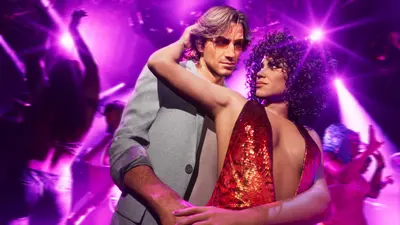
GTA 6 is finally here! It’s easily Rockstar Games’ most ambitious title ever, featuring dense environments and lush soundscapes. You get a rich visual and audio experience out of the box, but tweaking a few PS5 settings can enhance it.
We’re talking specifically about the PS5’s settings, since GTA 6 has no graphical settings beyond a motion blur slider. Even on a PS5 Pro, your options are limited. But with a few smart tweaks, you can make GTA 6 look and sound its best on either PS5 console.
Here are the 3 PS5 settings you need to check to enhance your GTA 6 experience.
HDR settings
(Image credit: Rockstar Games) This one is for folks who own an OLED TV. In the Video Output tab in System Settings, scroll down to HDR. Click it, and you’ll be taken to another screen to calibrate the console’s HDR.
You’ll adjust the brightness across three pages. On the first two pages, press up or down until the sun logo disappears. On the last page, dial it all the way down, since your OLED TV can display deep blacks.
GTA 6 also has in-game HDR calibration. Just follow the on-screen prompts to get your desired result, though I’ve found the default settings work well.
(PS5): $79
After 13 years of waiting, Grand Theft Auto VI has arrived. Set in the state of Leonida, with Vice City at its heart, you play Jason and Lucia, two criminals forced into an increasingly dangerous situation as they seek their fortune, discovering the darker side of the sunniest spot in America. View Deal
Audio settings
(Image credit: Sony Interactive Entertainment) GTA 6 is undoubtedly a feast for the eyes, but you shouldn’t neglect the audio side of the equation.
While the PS5 didn’t launch with Dolby Atmos, it now supports the feature. So if you have a soundbar or surround sound system that supports Dolby Atmos, you should definitely enable it. To do so, go to Sound in System Settings, click Sound Output, scroll down to Audio Format, and select Dolby Atmos.
VRR and 120Hz
(Image credit: PS5) GTA 6 target


Comments
No comments yet. Be the first to share your thoughts.