Microsoft says more about Xbox Helix – Windows Central Podcast
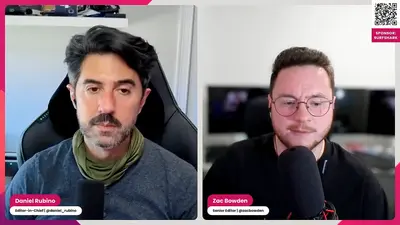
In Episode 412 of the Windows Central Podcast , Daniel Rubino and Zac Bowden unpack Microsoft's newly published 25th-anniversary Xbox interview with VP of Next-Gen Hardware Jason Ronald, who clarified that Project Helix is engineered as a true console capable of playing PC games rather than a full Windows desktop PC in disguise. The hosts dissect the exact phrasing—"playing games from your PC"—and debate the three likely technical paths: local PC streaming, cross-store library linking, or unified developer compilation targets, alongside how ROG Xbox Ally feedback is shaping Helix’s bespoke interface.
On the Windows front, Zac breaks down the final major Windows K2 non-security feature preview update of 2026, bringing the streamlined Windows Search bar, Run dialog updates, and low-light Windows Hello screen brightening to general release, alongside Microsoft Ignite announcements deprecating PowerShell 5.1 and removing 32-bit WoW64 support in Windows Server. The hosts also mourn Microsoft's upcoming June 2027 shutdown of Microsoft To Do (formerly Wunderlist), review retail RTX Spark and Snapdragon X2 Elite mini PCs from ASUS, and highlight a new documentary chronicling the history of the Metro UI design language.
[ 01:53 ] – Welcome to Episode 412 & Agenda: Daniel and Zac kick off the episode covering Project Helix revelations, late-year Windows 11 updates, Microsoft To Do's retirement, and desktop mini PCs.
[ 04:49 ] – Xbox Helix Is a Console, Not a PC: Analyzing Jason Ronald's 25th-anniversary interview statements and breaking down what "playing games from your PC" actually means for storefronts, developer kits, and hardware subsidies.
[ 15:40 ] – How ROG Xbox Ally & Xbox Mode Shape Helix: Lessons learned from handheld UI testing, third-party shells like Winhanced, and keeping console simplicity intact.
[ 23:16 ] – Final Windows 11 Feature Preview Update of 2026: Rollout details for the new centered Windows Search with inline actions, Run dialog refresh, and Windows

Comments
No comments yet. Be the first to share your thoughts.