New Windows 11 update tackles the biggest Bluetooth audio problem
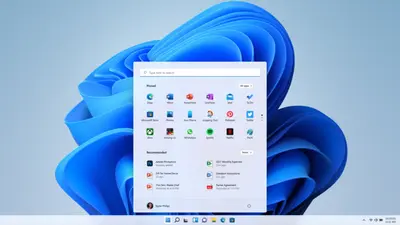
Microsoft is finally tackling one of Windows 11’s more irritating Bluetooth problems: the sudden drop in audio quality whenever you switch on your headset’s microphone.
The fix arrives in Windows 11 Insider Preview Build 26340.10032, released on 20 November, and allows compatible Bluetooth LE Audio headsets to maintain 48 kHz stereo playback even while their microphone is active. That means you should no longer have to put up with thin, muffled sound just because you’ve joined a voice call or started chatting with teammates during a game.
It’s a problem that’s been around for years. Bluetooth headphones can sound perfectly fine when you’re listening to music or watching a video, only for everything to suddenly sound like it’s coming through a telephone once the microphone kicks in. Not exactly ideal when you’re trying to hear what’s happening in a game while talking to friends.
According to Microsoft’s release notes , the new option supports two-channel, 16-bit audio at 48,000 Hz, giving users proper stereo playback during voice calls, game chat, voice typing and conversations with Copilot Chat.
Windows 11 already introduced super wideband stereo support for some Bluetooth LE Audio devices in earlier builds , but this update takes things further with a higher-quality playback option.
Advertisement
There is a hardware catch, however. Your PC needs to support Super Wideband Stereo through the appropriate Bluetooth adapter and drivers, while your headphones or earbuds must also support LE Audio and 48 kHz playback. Simply having Bluetooth LE listed on your laptop’s specifications doesn’t guarantee it’ll work.
For those with compatible hardware, the feature can be enabled under Settings > Bluetooth & devices > Devices, where you’ll need to switch on Use LE Audio when available. Then head to Settings > System > Sound, select your Bluetooth headset under Output and look for the new option in the Format when the microphone is active dropdown.
Microsoft recommends s
Comments
No comments yet. Be the first to share your thoughts.