ChatGPT is giving Plus users a Google Docs-style workspace
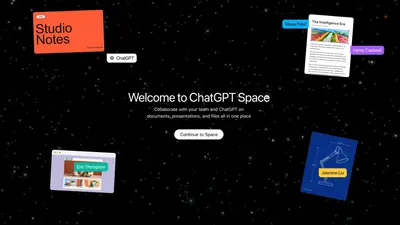
If you’ve logged in to ChatGPT recently and you’ve got a Plus account, you might have noticed a small change in your sidebar. OpenAI is rolling out a feature called Space , a workspace for building pages and presentations. It replaces the old Library option, but it takes a bit of getting used to.
It’s quite hard to get your head around what Space actually is. For starters, OpenAI calls the overall feature Space and the individual collections inside it spaces . That’s needlessly confusing when you’re using it for the first time. It also sounds a lot like Projects, Canvas, or ChatGPT Work, and OpenAI hasn’t made the distinction between them particularly intuitive.
I think the easiest way to understand it is that a ChatGPT conversation is something you have with AI. A space is something you make with AI, then keep using.
Say you ask ChatGPT to help plan a vacation. A chat can give you an itinerary. In a space, you could turn that itinerary into an interactive travel planner that you can come back to, update as your plans change, and share with other people.
What Space actually is
The best way to think of Space is as a cross between Google Drive, Google Docs, and a lightweight website builder, all living inside ChatGPT.
There are three levels.
Space — the overall area. The new home for your documents, presentations, images, and uploaded files.
A space — a collection. You could create a space called “Japan holiday” to keep related pages and files together.
A page — the content you work on. An itinerary, a budget, a packing list, or an interactive guide that you can edit yourself or ask ChatGPT to update.
Once you’ve created a page, you can write directly in it or ask ChatGPT to make changes, including adding charts and interactive content. You can also invite collaborators to edit and comment on a page. They can use ChatGPT to help make changes, too.
Perhaps the most interesting thing is that OpenAI says pages and slides can update automatically using connected apps and


Comments
No comments yet. Be the first to share your thoughts.