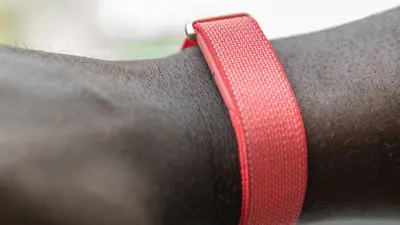
Fitbit Air finally gets this highly requested function — but Google isn’t the one that’s responsible for the rollout
What you need to know
Cuff is a new Android app that communicates with the Fitbit Air over Bluetooth
The app allows you to set custom alerts per app and receive vibration alerts for incoming calls
You can also create your own vibration patterns and track food and sleep more smoothly, according to the developer
When Google launched its inaugural screenless fitness tracker, the Fitbit Air , it introduced distraction-free health monitoring to its wearables lineup at a reasonable price — but that also meant sacrificing notifications and important alerts altogether, which, in certain circumstances, can be life-saving.
Best Black Friday Deals: at your service!
On the hunt for big Black Friday 2026 savings on this gear? Our team of experts has been tracking the best offers from the sales event so far — click through to find out more.
It's a very simple device, offering limited vibration alerts for alarms, but it lacks support for incoming calls and has very limited customization options, so third-party developers are stepping in.
Sharing the news on Reddit (see below), the minds behind the new Android app Cuff have created a way to give your Fitbit Air the ability to receive alerts for incoming calls via the device's vibration motor. By communicating with your wearable over Bluetooth, the app gives you the freedom to enable alerts for individual apps, create custom vibration patterns, and even receive call alerts from specific people in your contacts list. For iOS users, Airbuzz is a similar alternative.
Sounds handy, doesn't it? But it doesn't draw the line there.
I built notification + call buzzes for the Fitbit Air - Cuff from r/fitbit
Cuff's personalized alerts are just the start. As detailed in the developer's Reddit post, Cuff supports Stackable Widgets, which let you combine multiple widgets into a single one, eliminating the hassle of creating and relying on separate spaces for each health metric.
But the idea behind the app, the developer says, comes from their

Comments
No comments yet. Be the first to share your thoughts.