Photoshop 2027 is impressive. But as a photographer, there’s one more control I want: A "GenAI off" button
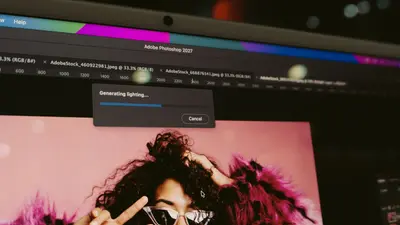
Earlier this month, I watched Adobe demonstrate the newest features across apps like Photoshop and Lightroom in person from Miami Beach. But as I watched and tried the newest photo tools, there was a buzzword that was rather predictably used in dizzying amounts: AI.
Yet amid growing distrust over AI-altered content, the one tool I was hoping to see in Photoshop didn’t make an appearance: an off button for GenAI.
A majority of the new features in Photoshop 2027 , as well as the public beta, are based on generative AI: Relight Layers, Generative Restyle and the Creative Agent chatbot all rely on generative technology.
There’s an important distinction between AI and GenAI in photography . AI has been in used in photography from eye-detection autofocus in cameras to Photoshop’s Select Subject, for years. But where AI simply means software trained on large amounts of data, generative AI means software that creates something.
The beta version of Photoshop also has a GenAI option to adjust the camera angle (Image credit: Future) I will happily use subject detection autofocus or Select Subject to quickly whiten teeth in Lightroom. I don’t mind AI that takes care of the busy work, but I don’t want AI that generates any pixels – and I think that’s a rather important distinction to make in 2026.
Last week, Canva gave generative AI an off button – and I think Photoshop needs to follow suit. While I can choose not to use generative AI on the drop-down menu for the Remove Tool, Photoshop doesn’t have a universal button to turn off all GenAI tools in one spot.
There are multiple reasons to give creators an easy way to turn off GenAI. But a key example just popped up this week: the New York Times emailed its photo contributors asking photographers to avoid using Photoshop 2027 .
According to the email, the NYT told freelance photographers that the newest version “utilizes generative AI in ways that may not be apparent to users. Their use can result in metadata misidentifying photo

Comments
No comments yet. Be the first to share your thoughts.