Quoth: A Local AI Speech to Text Tool for Linux That Picks Your Hardware
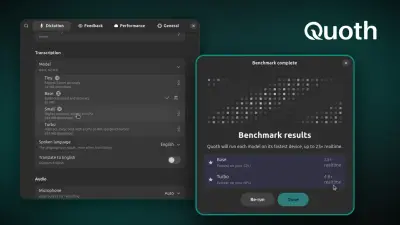
I keep testing voice typing tools on Linux , and most of them do the job. The annoying part is figuring out which model your computer can actually handle, and whether it should run on the CPU, the GPU or the NPU.
Quoth does that part for you. It's a new voice dictation app made exclsuively for Linux. It runs Whisper models locally, and it benchmarks your hardware to decide what runs where.
I tried it on my Ubuntu with GNOME and I am sharing my experience in this article. I have also recorded it in video format, but there is construction work going on in the neighborhood, so the voiceover recording is postponed. Hopefully, I will share the video in a few days. For now, read and enjoy 😄
What is Quoth?
Quoth is a local AI, speech to text tool. You press a key, you speak, and your words get typed wherever your mouse cursor is. That could be a text editor, a browser, a chat app or even the terminal (although command typing is more miss than hit).
Everything is transcribed on your own machine with whisper.cpp . There's no need and scope for account creation. You can choose to share crash reports with dev, if you want to. It's disabled by default. Quoth says the reports never contain your audio or dictated text.
Here's a quick summary of what Quoth offers:
Four Whisper models: Tiny, Base, Small and Turbo (large-v3-turbo)
Hardware acceleration on Vulkan GPUs (AMD, Intel and NVIDIA) and Intel NPUs through OpenVINO
A built-in benchmark that picks the fastest device (CPU, GPU or NPU) for each model
Tap to talk or hold to talk modes
Translation from 10+ languages into English (except with Turbo)
Addition themes like Nord, Catppuccin and Dracula
It's free and open source under the GPL-3.0 license, and it's built by a single developer, Samuel Bullard. Samuel gave me an early access to the tool for trying out. It is available to public now.
For now, you need Wayland, as X11 is not supported. And you need a 64-bit x86 machine, as there are no ARM builds yet.
Installing Quoth
Quoth


Comments
No comments yet. Be the first to share your thoughts.