How to Sync a Microphone with Your Camera (Wired, Wireless, and Post-Production)
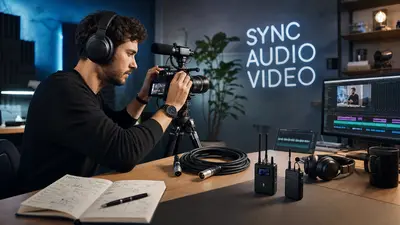
Getting clean, synced audio is one of the most practical skills a videographer can develop. Whether you’re plugging a shotgun mic directly into your DSLR, pairing a wireless system for an interview, or aligning a separate recorder’s track in your NLE, each method has its own steps and failure points. This guide covers wired connections, wireless pairing, and post-production syncing. You can choose your preferred method and follow each step confidently.
What Does “Syncing a Microphone with a Camera” Actually Mean?
The word “sync” means different things depending on your setup. In the most common context, it refers to physically connecting a microphone so its signal routes directly into the camera’s audio input — the camera records the mic’s audio in real time, already aligned with the video. In a second context, sync means aligning audio recorded on a separate device with the camera’s video track during post-production.
This guide covers both. Wireless pairing receives the most attention among these three methods. This is because many creators are trying it for the first time.
Method 1: Wired Microphone Connection to Camera
Wired connections are the most direct way to route a microphone signal into a camera. Most cameras accept a standard 3.5mm mic input, so the process is close to plug-and-play once you have the right cable.
Steps:
Identify your camera’s audio input. Look for a 3.5mm TRS port labeled “MIC” on the camera body. Sony ZV-series and Canon EOS mirrorless cameras typically include this input. Action cameras and phones may require an adapter.
Match your cable type. A shotgun mic or lapel mic with a 3.5mm plug usually uses a TRS connector. If your camera uses a TRRS combo jack, you need a TRRS cable or a TRS-to-TRRS adapter. Using the wrong type can result in no signal or single-channel audio only.
Use an XLR adapter when needed. Professional mics with XLR outputs require an XLR-to-3.5mm adapter or a dedicated XLR preamp to connect to consumer camer
Comments
No comments yet. Be the first to share your thoughts.