How to set up Family Sharing on a new Apple device
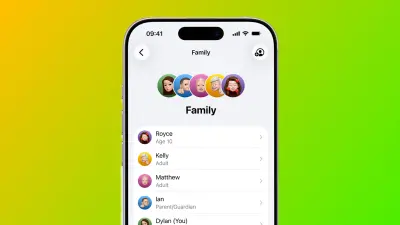
There are many reasons to use an iPhone instead of Android , from hardware build quality to design, but one of the best reasons to plump with iPhone and stick with it is if you and your family all use iPhones.
Brand loyalty to the fruit company can often be sneered at by Android die-hards, but anyone who uses Apple’s Family Sharing tools won’t mind one jot. Family Sharing has been around since 2014 and the halcyon days of iOS 8, and since then it has slowly evolved into one of the best features in all of Apple land.
What is Family Sharing?
Family Sharing is a tool that allows you to share your Apple subscriptions, purchases and cloud storage with members of your family at no extra cost.
A simple example is if you pay Apple a monthly fee for iCloud storage. Apple only gives you 5GB for free, which is paltry. It charges $0.99/£0.99 per month for 50GB.
If you don’t need to max out that 50GB, you can use Family Sharing to share your allocation with between one and five family members so they can use the allocation too without having to pay for iCloud storage themselves.
Of course, anyone who you invite to a Family Sharing group needs to have their own Apple Account, and use an iPhone, iPad or Mac.
What services are included in Family Sharing?
Family Sharing is surprisingly generous in what it lets you share with your loved ones.
Apple lets you share Apple Music , Apple TV, iCloud+, Apple Arcade, Apple Fitness+ and Apple News+ subscriptions. This makes some of these subscriptions excellent value, as it means you don’t have to pay for them multiple times within the same family.
One thing to note is that you cannot share your subscriptions if you have an Individual subscription or Individual bundle. To share Apple Music for example, you need to pay for either an Apple Music Family Plan or an eligible Apple One Family or Apple One Premier bundle.
Apple One is Apple’s monthly subscription service that bundles together several Apple services for less than if you pa



Comments
No comments yet. Be the first to share your thoughts.